
Google unveiled the biggest updates for Android 17
Android Show: What’s New in Google’s Mobile OS
At a recent event, the Android Show announced the most significant updates that will appear in Android 17 and on Pixel devices. Below are the key innovations, their purpose, and where they’re already available.
#New FeatureWhat Changed?Where to See
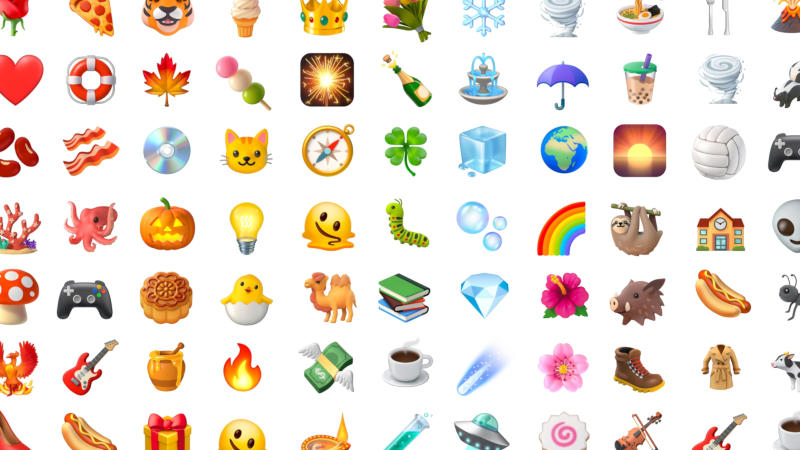
1 Fully Redesigned EmojisAll 4,000 emojis have become more volumetric, adding depth and detail.Pixel smartphones (now)
2 Pause Point – Digital Well‑BeingThe user creates a list of “distraction” apps; when attempting to open one, a warning appears offering breathing exercises, along with a timer and time limit. It can only be disabled after a full phone reboot.Android 17Screen ReactionsAllows recording the screen + front camera, creating a “clip” with the user in the center.Pixel smartphones (summer)
3 Quick Share + AirDropQuick Share is now compatible with Apple AirDrop: a QR code is generated that an iPhone scans to receive the file directly into iCloud. Support will first appear on Pixel and Galaxy, then on Oppo, Vivo, Xiaomi, Honor, OnePlus. Some apps (e.g., WhatsApp) will also have integration available.Pixel, Galaxy, Oppo, Vivo, etc.
4 Simplified Transition from iOS to AndroidApple added wireless transfer of files, contacts, messages, home screen layouts, and eSIMs to Android. Full functionality requires a compatible phone with Android 17 (Pixel, Galaxy).Pixel, Galaxy
5 Rambler – AI Speech RecognitionAI removes filler words, makes text concise, and corrects errors. Demo: the user dictates a shopping list, then changes their mind about adding bananas—AI correctly processes the change. Supports multiple languages.Pixel, Galaxy
6 Create My WidgetBased on text (or voice), widgets can be generated and placed on the home screen. Examples: a weather widget for cyclists with precipitation and wind, a high‑protein recipe widget.Android 17 Task Automation – AI AgentFully manages apps on behalf of the user, accepting commands in text, voice, or image form. Expanded Chrome support: form autofill via AI.
7 Security Improvements• Call protection from spoofed numbers (bank app required).• Enhanced malicious app detection—system monitors suspicious activity.Android 17
Brief Summary
- Emojis are more realistic and already available on Pixel devices.
- New digital well‑being tools (Pause Point) help control time spent in apps.
- “Screen Reactions” add a new way to interact with content.
- Quick Share is now AirDrop compatible, and the transition from iOS to Android is simplified thanks to new Apple and Google features.
- AI technologies (Rambler, Create My Widget, Task Automation) expand personalization and automation on the phone.
- Security gains additional layers against scam calls and malicious apps.
All these updates make Android 17 more flexible, secure, and user‑friendly, and they strengthen competition with the Apple ecosystem.
 Asted Cloud
Comments (0)
Share your thoughts — please be polite and stay on topic.
Log in to comment