
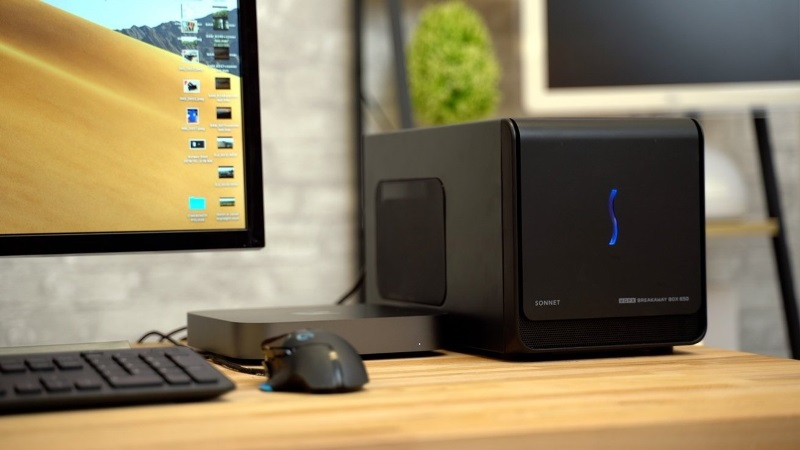
Mac users with M series processors can now connect external graphics cards from AMD and Nvidia to their laptops.
Apple has approved the use of external graphics accelerators on Macs
After Apple switched to its own M-series chips, connecting an eGPU became almost impossible.
TinyCorp developers created a driver that allows external GPUs to be used, and Apple officially approved it.
> Important: The driver does not improve graphics – it is intended only for accelerating AI tasks.
What was announced on X
Last week TinyCorp posted a message on its X account (formerly Twitter) stating that Apple has recognized their driver as compatible. Mac users can now connect AMD and Nvidia GPUs through an eGPU enclosure with Thunderbolt or USB4 interfaces.
Technical requirements
Requirement What you need macOS 12.1 or later Interface USB4, Thunderbolt 3 (or newer) Accelerator Sufficient power for the GPU – RDNA3+ (AMD) and Ampere+ (Nvidia) models
How to install
1. Connect the graphics card to the eGPU enclosure.
2. Download and run `TinyGPU.app`.
3. Install the driver extensions.
4. After the process completes, open “System Settings” → “Driver Extensions” and activate the new extension.
5. Finish the setup – steps may vary depending on the chosen accelerator.
What the driver does
* Accelerates AI tasks – with an external GPU you can run larger models even if a neural coprocessor (NPU) is already inside the Mac.
* Security – Apple’s approval eliminates the need to disable System Integrity Protection, making AI experimentation safer.
Thus TinyCorp has offered a solution that opens up external GPUs for artificial intelligence on Mac computers without compromising system security.
 Asted Cloud
Comments (0)
Share your thoughts — please be polite and stay on topic.
Log in to comment