
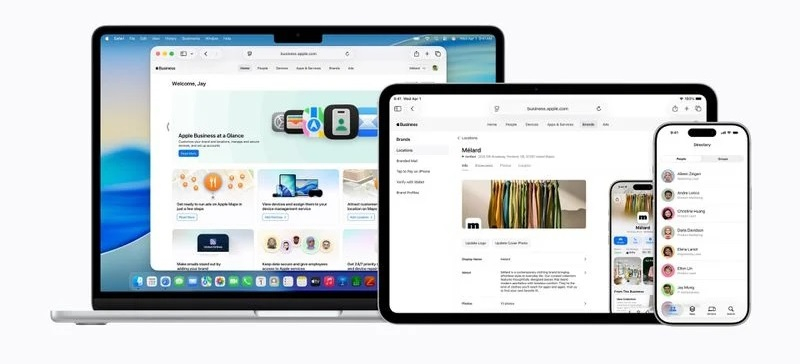
Apple will combine device management and corporate tools into a single platform—Apple Business
Apple launches “Apple Business” – a unified portal for managing corporate devices and clients
*Apple announced the release of a new platform that will combine all its business products: Apple Business Essentials, Apple Business Manager, and Apple Business Connect. The service starts on April 14 and will be free for new and existing customers in 200 countries (some features may be regionally restricted). After launch, older services will be shut down and data migrated to the new system.*
What “Apple Business” offers
Category | Functionality
---|---
Device management | A single interface for configuring and controlling iPhone/iPad/Mac. Administrators use Blueprints – templates that predefine settings, security policies, and install required apps. Devices are ready to work immediately after being issued to an employee.
Cryptographic separation | Personal and work data are stored separately, even if a user uses one device for both purposes. This protects company confidentiality.
Users and roles | Create user groups, assign roles, distribute apps via the App Store, and perform large-scale deployments using the Admin API (devices, users, settings).
Communication integration | Built‑in email, calendar, and corporate directory services. You can link an existing domain or purchase a new one directly on the platform. Calendar and contact access delegation is possible with personalized cards.
Customer interaction tools
- Brand management – companies can now control how their logos and information appear across all Apple services (previously only in Business Connect).
- “Maps” advertising integration – a new feature will allow ads to appear at the top of Maps search results and in the Suggested Places interface. Launch is planned for summer for U.S. and Canadian users.
How it looks for business
1. Device preparation: an administrator creates a Blueprint, configures policies and apps.
2. Distribution: an employee receives a ready‑to‑use device with no additional software installation required.
3. Work tools: through the Apple Business app you can install needed business apps, access colleagues’ contacts, and contact support.
4. Client service: the company’s brand is visible across all Apple services, and Maps advertising helps attract new customers.
> Switching to the new platform is free for users, but paid add‑ons are available if needed. After official launch, all existing business products will be deactivated and their data automatically moved to Apple Business.
 Asted Cloud
Comments (0)
Share your thoughts — please be polite and stay on topic.
Log in to comment