
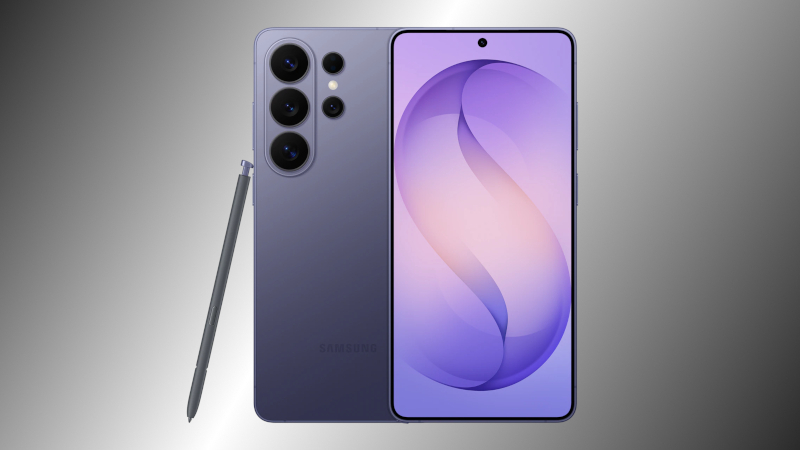
iFixit disassembled the Samsung Galaxy S26 Ultra: the battery can be quickly swapped out, but the cameras and display are not amenable to simple repair
iFixit disassembles the Galaxy S26 Ultra: what can be fixed quickly and what is difficult
The company iFixit conducted a detailed teardown of Samsung’s latest smartphone and rated its repairability at 5 out of 10. The most convenient component turned out to be the battery – removing it is even easier than in Apple models. However, the rest of the phone requires almost complete disassembly.
How the teardown begins
1. Rear panel
- First, the adhesive that secures the rear glass is heated so it can be removed easily.
- Once the case opens, access to the display connector can only be obtained through the back.
2. Display
- To replace the screen, almost the entire phone must be disassembled: the rear panel, power connector, etc.
3. Battery
- The easiest component to replace is the battery.
- Removing it requires little effort; iFixit described this mechanism as “simpler than Apple’s”.
4. USB port
- It is connected to the case in a way that allows quick replacement without extra difficulty.
5. Cameras
- All cameras are located under the motherboard from below.
- To replace any of them, the board itself must first be removed.
- The front camera is especially difficult – its removal is almost impossible without disassembling the board.
Final assessment
- iFixit rating: 5/10 (where 10 is maximum repairability and 0 is minimum).
- Potential for improvement: if Samsung had paid more attention to parts accessibility, the rating could rise to 6/10 – the level of the Pixel 10 family and one point below the newest iPhones.
Thus, the Galaxy S26 Ultra is convenient for battery and USB port replacement, but other components require almost complete teardown, which lowers the overall repairability of the device.
 Asted Cloud
Comments (0)
Share your thoughts — please be polite and stay on topic.
Log in to comment